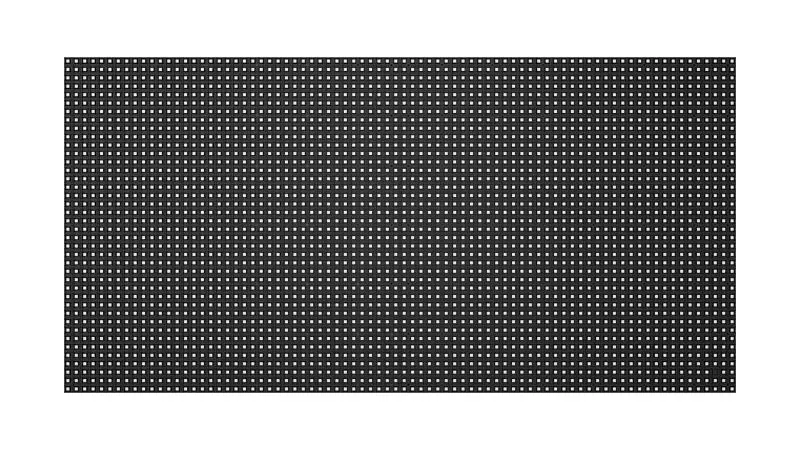
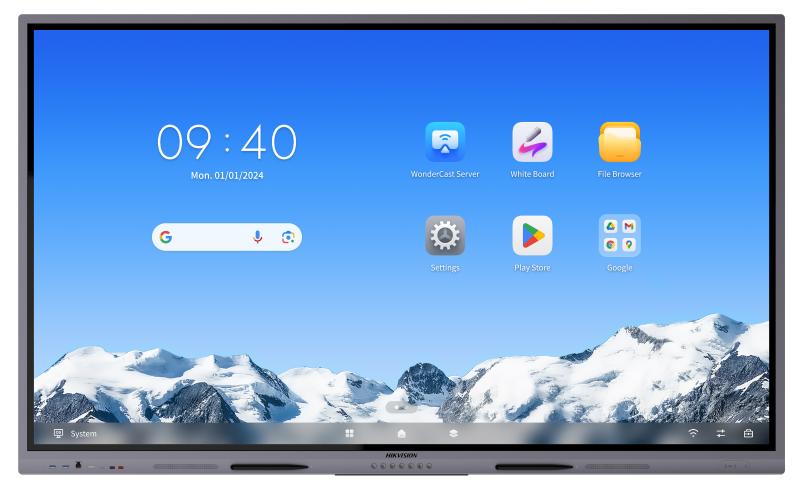
Hikvision Interactive Display DS-D43Q40CA-1PH

Hikvision Interactive Display DS-D43Q40CA-1PH

The Hikvision DS-D43Q40CA-1PH is a commercial-grade interactive display with a touch layer: a screen that shows whatever something else sends it. Decide the source first — a laptop, a PC, a media player or a feed shared between rooms — and how touch gets back to it. Datasheet and project pricing on 16454.

Shipping & Delivery

  • Courier delivery

Our courier will deliver to the specified address

  • Warranty 1 year
  • Free 14-Day returns
Buy now pay later payment options at Speed4Trading Egypt

Description

The Hikvision DS-D43Q40CA-1PH is an interactive display — a commercial-grade screen with a touch layer, for rooms where people walk up and use the picture rather than sit and watch it. It reaches a quotation as one line and one price, and that is where these jobs go wrong.

A display is a sink: it shows things, it does not decide what is shown. Something else has to be the source — a separate decision, with its own cost and its own owner. Asking which inputs the panel carries answers the wrong question, because a socket is not a source. The commonest reason a screen like this is dark at handover is never the screen; it is the thing meant to feed it, which was never specified, never powered, or was unplugged by a cleaner.

Where it earns its place on a job

A laptop carried in means the screen works only when a particular person is in the building. A PC means an operating system, and so updates, licences, an owner, and a fair chance it restarts itself ten minutes before the meeting. A media player is quietest, but somebody now owns loading content onto it, and if that person is not named the room shows last quarter’s material for a year. A shared source trades the per-room box for cable distance, distribution hardware and one fault that darkens every screen.

Then the part people forget on a touch panel: touch has to travel back. A source in a cupboard twenty metres away needs a return path for the finger as well as an outward path for the picture, and a cable set priced for video alone will not necessarily carry it. The same question lands identically on the DS-D43Q30CA-1PH beside it. Buy the panel without naming the source and you have not bought a display, you have bought a very heavy mirror.

Before you order — three things to confirm

  • The source, named and located — “A PC” is not an answer; “the PC on the shelf in the AV cupboard” is. If nobody can name it, it has not been bought.
  • The touch return — once the source is more than a short cable away, confirm against the datasheet that touch comes back over the route you priced, not just video going out.
  • Power for the source — a player or PC needs its own outlet and somewhere to live. If the only power on the drawing is behind the panel, something ends up on an extension lead.

Technical specifications

  • Manufacturer: Hikvision
  • Model code: DS-D43Q40CA-1PH
  • Product type: interactive display — a commercial panel with a touch layer, used by hand at the screen
  • Requires an external video source, which is not part of this line item
  • Panel size, touch points, brightness, panel technology, onboard operating system or software, ports, weight and mounting standard are not quoted here; the digits in the model code are not inches. Full manufacturer datasheet available on request — call 16454

Compatibility

Compatibility is about the source and the cable route, not protocol families. Match your source’s output to the input list on the datasheet before anyone orders adapters — and confirm touch separately, because it does not always follow the picture.

What’s in the box

Contents for the current manufacturing revision are confirmed on the order. Do not assume a stand, bracket, stylus, media player, PC module or cable is included; quote each as its own line.

Common questions on this model

Can we just plug a laptop into it?
Yes — a laptop is a legitimate source, but the room then works only when that laptop and its owner are present, and touch has to run over the same temporary link. Fine for a meeting room where someone always brings a machine; not a plan for a wall expected to show something on its own.

Our source has to sit in a cupboard down the corridor — is that a problem?
Not in itself, but it doubles the work: a video run and a touch return over the same distance, with hardware at both ends.

Nothing on screen at handover — is the display faulty?
Usually not. Check the source is powered, awake and in the input the panel is set to. A display with no source behaves exactly like a broken one.

Every DS-D43Q40CA-1PH from Speed4Trading is genuine Hikvision stock with the official one-year manufacturer warranty and delivery across Egypt. For the datasheet, or help sizing the source, call 16454.

Customer Reviews

0 reviews
0
0
0
0
0

There are no reviews yet.

Be the first to review “Hikvision Interactive Display DS-D43Q40CA-1PH”

Your email address will not be published. Required fields are marked *