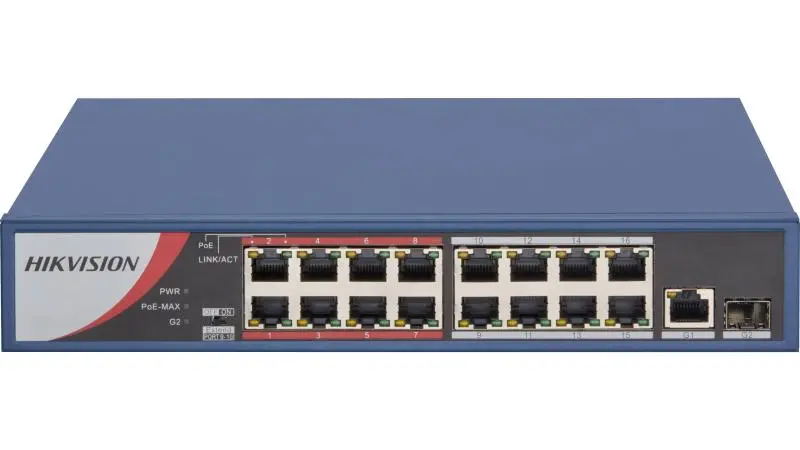
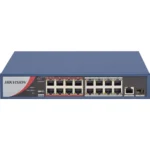
The DS-3E0318P-E/M is a sixteen-port unmanaged PoE switch running Fast Ethernet at 100 Mbps, and it is specified for one reason above the others: it has a long-range mode. On a yard, a car park whose far corner sits past the point ordinary Ethernet gives up, or a fence line, that mode is the difference between one cabinet and a second cabinet at the far end with its own power feed and keys.
The cost is worth being blunt about, because extended-reach modes are never free. Pushing power and data past the normal Ethernet limit is generally paid for in link speed on the ports running that way — reach goes up, throughput comes down. How this model behaves in extend mode, and how far it reaches, are on the Hikvision datasheet, and we will not quote figures we have not read off it. The consequence is ours to state: decide which cameras need the reach before you order, not after the trunking is up.
Where it earns its place on a job
Most sites that need this switch do not need it everywhere. A typical sixteen-camera layout has twelve positions at ordinary distances and three or four out at the gate or the fence line that the drawing said were fine and the real route says are not. Extend mode is a tool for those three or four awkward cameras, not a setting you put the whole building into: the reach is bought per link, and you should only spend it where the link needs it.
Being unmanaged sharpens that: there is no web login to tune the switch from later, so how the ports behave — and whether the long-range setting is per port or across the unit — is fixed by the design and set out on the datasheet.
Before you order — three things to confirm
- The real cable route, not the straight line. Measure what the cable does: up the wall, along the tray, round the corner, down the pole, plus a patch lead at each end. That figure in metres decides whether a run needs long-range mode, and drawings understate it.
- How many positions are genuinely long. Count them. If it is three of sixteen, plan those three onto the extended side and leave the rest normal. If it is eleven, the site wants rethinking, not a switch carrying all of it.
- What the far cameras have to send. Tell us the models and stream settings at the end of the long runs. Extend mode trades link rate for distance, and the far end is where that is felt.
Technical specifications
- 16 PoE ports
- 100 Mbps Fast Ethernet on the PoE ports
- Long-range (extend) PoE mode supported
- Unmanaged — no configuration software or management interface to maintain
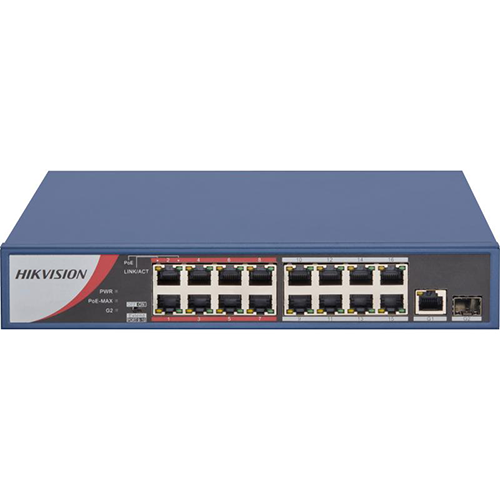
- Hikvision DS-3E0 series, model DS-3E0318P-E/M
- Total PoE budget, per-port wattage, PoE standard, uplink arrangement, switching capacity, extend-mode distance and rate, dimensions and power input: full manufacturer datasheet available on request — call 16454
Compatibility
PoE and Ethernet are open standards, so the switch is not restricted to Hikvision cameras: any device whose PoE requirement it meets will run on it; matching that power side is a datasheet question. If the long runs dominate a larger site, the same long-range design in a twenty-four-port chassis is the DS-3E0326P-E/M.
What’s in the box
One Hikvision DS-3E0318P-E/M switch. Carton contents vary by manufacturing revision, so the contents of the revision we are shipping are confirmed on your order.
Common questions on this model
How far will it actually reach?
That figure is on the datasheet for this exact model, and the answer also depends on the cable. Send us the distances and the cable type and we will confirm before you order.
Do I lose anything by running ports in long-range mode?
Generally yes: extended-reach modes trade link speed for distance on the ports using them. The exact behaviour, and whether the mode is per port or broader, is on the datasheet, and it decides whether long and normal runs can share one switch.
Why not use a normal switch with an extender at mid-span?
You can, but every extender is another box to mount, weatherproof and usually power at a point where there is no power. A switch with the reach built in keeps the powered equipment in the cabinet.
Every unit we supply is genuine Hikvision with the official one-year manufacturer warranty, delivered anywhere in Egypt. To have the layout checked before you commit, call 16454.


 Courier delivery
 Courier delivery
  Warranty 1 year
  Free 14-Day returns






Reviews
Clear filtersThere are no reviews yet.