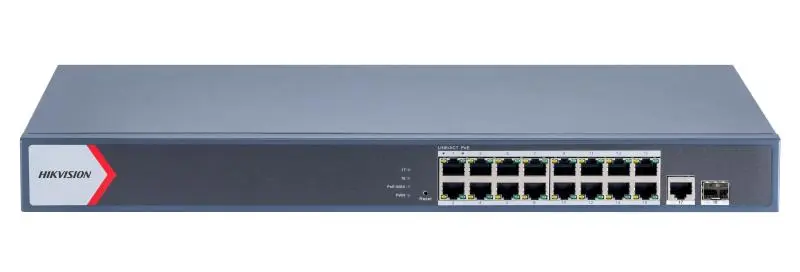
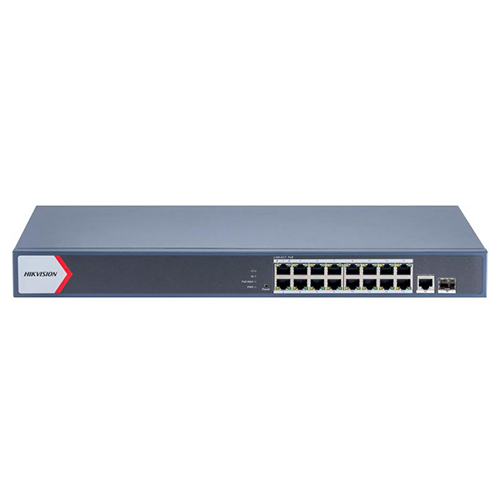
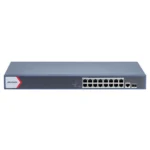
The DS-3E1518P-EI is a sixteen-port gigabit PoE switch you can log into. On the day it is installed that changes nothing. On the Thursday evening eight months later, when a client forty minutes away rings to say two cameras are black, it changes everything.
Everything about a camera network is easy while you are standing in front of it: link lights, a spare port, a lead you can unplug. Forty minutes away you have none of it — unless the switch tells you what it sees.
Where it earns its place on a job
Two black cameras is not a diagnosis. It is a symptom with three causes: dead cameras, a dead cable, or cameras that are fine while the recorder has lost them. From the office you cannot tell them apart. Logged into the switch you get most of the way there in two minutes — whether those ports are delivering power, and whether anything is answering on the far end. No power and nothing connected points at the cable. A port powering a device that is up and passing traffic points back at the recorder instead. Neither is complete, but each decides whether anybody travels tonight.
A switch you cannot log into does not save money — it quietly converts every future fault into a site visit. A sixteen-port unmanaged unit such as the DS-3E0518P-E/M will pass power and traffic for years and tell you nothing on the evening it matters.
Then there is the part nobody bills for. The switch has to hold a fixed address that somebody wrote down, and there has to be an agreed, safe route to that address from outside the site — their VPN, their IT people, whatever their network staff will sanction. That is a commissioning decision, taken once with the client’s network in front of you. Most small installations skip it, because the system works on the day, and then pay for it in travel for years.
Before you order — three things to confirm
- A fixed address. A management interface on an address that moves is one you cannot find. Settle it with whoever runs the network before the cabinet is closed, and write it down.
- How remote access will work, and who has it. Agree it at handover, in writing: the route in, who holds it, who the client rings first. Retrofit it later and you make the site visit you were trying to avoid.
- Credentials and current firmware. Anything reachable by you is reachable by others, so change the default login and record it where your team can find it. Check what the current revision manages on the datasheet before promising a client what you will see.
Technical specifications
- Manufacturer: Hikvision
- Model: DS-3E1518P-EI
- PoE ports: 16
- Port speed: Gigabit
- Management: Smart managed, DS-3E1 series
- Everything else — PoE budget, per-port wattage, PoE standards, uplinks, switching capacity, power input and dimensions — full manufacturer datasheet available on request: call 16454.
Compatibility
PoE and gigabit Ethernet are standards, so this sits between Hikvision cameras and recorders as readily as in a mixed system. Management is a question about the client rather than the hardware: the interface is reached over their network, so getting to it depends on what their IT policy permits. Settle that before you quote remote support.
What’s in the box
One Hikvision DS-3E1518P-EI switch. No accessories are promised here; contents for the revision in stock are confirmed on the order.
Common questions on this model
Can you support us remotely if a camera drops?
Honestly: yes if remote access is arranged at install, no if it is not. With a route in we can check whether the port is powering the camera and whether the camera answers, before anybody travels. Without one, every fault is a site visit.
What does logging in actually tell us when a camera goes black?
Whether that port is delivering power, and whether a device is connected and passing traffic. That separates a dead camera or cable run from a camera that is alive while the recorder has lost it.
Do we have to give an outside contractor access to our network?
No, and plenty of clients do not. The alternatives are a supervised session where your IT opens the route when you ask, or a limited account that reaches the switch and nothing else. Decide which at handover.
Supplied by Speed4Trading as genuine Hikvision stock with the official one-year manufacturer warranty and delivery across Egypt. For the datasheet figures, or help arranging remote access, call 16454.


 Courier delivery
  Warranty 1 year
  Free 14-Day returns







Reviews
Clear filtersThere are no reviews yet.