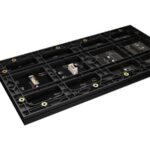
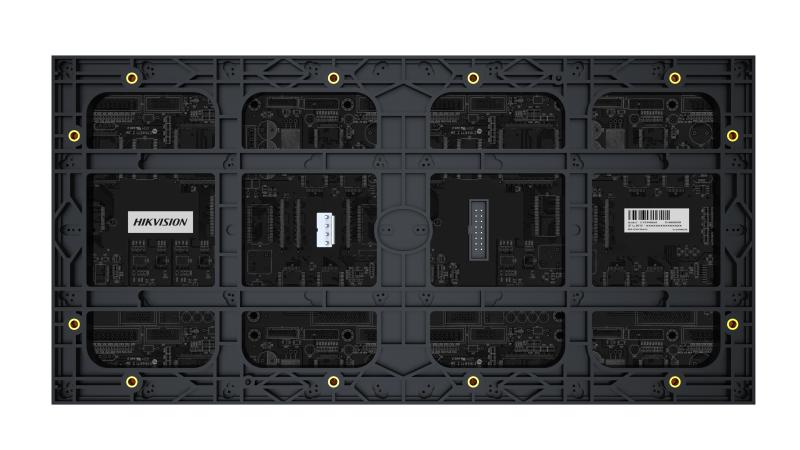
Hikvision Interactive Display DS-D41Q25CA-1PH/DH

Hikvision Interactive Display DS-D41Q25CA-1PH/DH

The DS-D41Q25CA-1PH/DH is a Hikvision interactive display and the only /DH variant in its range. Before ordering, settle where it goes: the sightline, the reach height for a screen people have to touch, the light on the wall, and whether power and a source cable already reach that position. Variant check and datasheet on 16454.

Shipping & Delivery

  • Courier delivery

Our courier will deliver to the specified address

  • Warranty 1 year
  • Free 14-Day returns
Buy now pay later payment options at Speed4Trading Egypt

Description

The DS-D41Q25CA-1PH/DH is the odd one out in Hikvision’s D41Q interactive display range: the others carry a plain -1PH suffix and this one adds /DH. We will not guess at what those letters denote; guessing is how the wrong unit ends up on a wall. We check it against the datasheet before quoting, since a suffix can change the mounting arrangement or the power fitting.

The second question is siting, and on a panel people touch it is harder than it looks. A screen you only watch has to be visible. A screen you operate has to be reachable too, and those two heights are rarely the same one.

Where it earns its place on a job

A screen like this is not furniture. It is fixed to a structure, fed by mains power and a source cable, and defines that wall for the length of the tenancy. Siting is the real work, and it is nearly always decided last, by whoever holds the drill. The commonest mistake here is not the wrong screen. It is the right screen hung at television height, where every visitor reaches above the shoulder to use it.

Work backwards from the audience, then from their hands. A seated boardroom wants it low and square-on. A queue at a counter is standing and closer, and if they are to tap it the working glass has to sit between about waist and eye level for an adult of average height. Ask whether a wheelchair user must reach it, which drops it further. Then the light: a panel opposite a glass shopfront is a mirror for half the working day, and fingerprints in direct sun make it unreadable. Then the wall, since a screen pushed all day loads its fixings differently from one that is only looked at. If your site standard is the plain -1PH suffix rather than this /DH build, the DS-D41Q30CA-1PH is listed in the same range here.

Before you order — three things to confirm

  • Power and source at the exact position — is there a live socket and a cable route behind the point you have marked, or does one need chasing in. That answer separates a two-hour install from a builder’s job.
  • Reach, measured against a person — mark the centre of the glass on the wall, then have someone stand or sit where the user will and put a hand on it. Do it before the bracket is ordered, not after the holes are drilled.
  • What the wall is made of — and what the fixing lands in. Do not order a mount assuming a standard applies; check the datasheet against what that structure allows.

Technical specifications

  • Manufacturer: Hikvision
  • Model: DS-D41Q25CA-1PH/DH — the only /DH variant in this range
  • Class: commercial interactive display, operated by touch
  • Fixed installation: needs mains power and a source at the position
  • Screen size, resolution, brightness, panel technology, touch points, operating system, inputs, weight and mounting standard are not stated here: full manufacturer datasheet available on request, call 16454

Compatibility

What matters is the connector and signal your player, PC or media box puts out, and whether the touch data has a route back to it — datasheet answers, not something read off a model code. Tell us the source and we will confirm the inputs.

What’s in the box

No bracket, stand, remote, stylus, power lead or cable is listed as supplied, so price the mount and cabling separately. Contents for the revision shipping are confirmed on the order.

Common questions on this model

How high should it go?
Lower than instinct says. Set the centre so an average adult reaches the top without stretching, then check the sightline from where people stand or sit. If it is both watched from across the room and operated up close, the operating position wins.

What does /DH mean, and can I mix it with plain -1PH units already on site?
We will not guess at the letters. Send the model codes already installed and we will check the datasheet before quoting.

The wall I want is plasterboard with no socket behind it. What does that add?
A fixing that reaches studs or a backing board, which on a panel people push is not optional, plus a spur and a source route. That is an electrician, and the commonest reason an install slips.

Every unit is genuine Hikvision with the official one-year manufacturer warranty and delivery across Egypt. For the datasheet, a /DH variant check or help sizing the siting work, call 16454.

Customer Reviews

0 reviews
0
0
0
0
0

There are no reviews yet.

Be the first to review “Hikvision Interactive Display DS-D41Q25CA-1PH/DH”

Your email address will not be published. Required fields are marked *